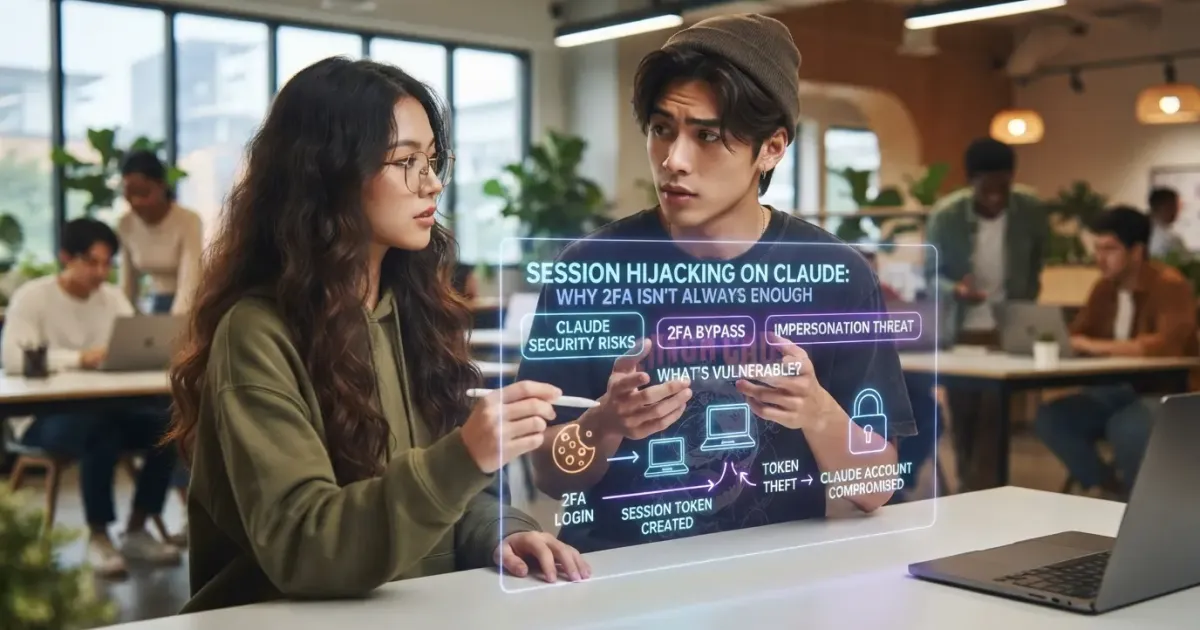
Session hijacking on Claude is drawing attention after Anthropic warned some users that infostealer malware had grabbed a copy of their login session. In the reported case, an attacker didn't need to know the password or bypass two-factor authentication directly. If a still-valid session cookie or session ID gets stolen, an attacker can try to use that session as if they were the already-logged-in user.
This case is covered in a Search Engine Journal report on Claude session theft used to take over accounts. According to an Anthropic email shared by a user, the company detected misuse activity, revoked the sessions involved, and removed the stored payment method as a mitigation step.
The most important point isn't that Claude has malware. Anthropic actually states the malware is general-purpose, likely arriving through malicious software or a download, and that it steals many types of credentials from a computer. A Claude session was simply one piece of data caught up in the sweep.
Table of Contents
- What Is Session Hijacking?
- What Did Anthropic Report to Users?
- What Is Infostealer Malware?
- How Can an Infostealer Hijack a Claude Session?
- Why Doesn't Two-Factor Authentication Always Stop Session Hijacking?
- Does This Mean 2FA Is Useless?
- Where Did the Malware in This Reported Case Come From?
- What Can an Infostealer Steal?
- Why Might Changing the Password Alone Not Be Enough?
- What Should You Do If a Claude Session Is Suspected Stolen?
- Why Do Some People Recommend Wiping the Computer?
- Can Claude Be Used to Clean Up Malware?
- Why Does Session Security Matter for a Paying AI User?
- What's the Implication for a Team Using Claude Code or an AI Agent?
- How Do You Reduce the Risk of Session Hijacking?
- 1. Avoid pirated software and unofficial installers
- 2. Enable MFA
- 3. Use a unique password
- 4. Keep systems and applications updated
- 5. Audit browser extensions
- 6. Check active sessions
- 7. Monitor account usage
- Can a Passkey Solve This Problem?
- What's the Difference Between Account Takeover and API Key Theft?
- What's the Connection to Generative-AI-Based Cyber Threats?
- What's the Checklist for an Enterprise Team Using AI?
- How Do You Detect an AI Account That May Have Been Taken Over?
- What Shouldn't Be Concluded From This Case?
- FAQ About Session Hijacking on Claude
- What is session hijacking on Claude?
- Does a hacker need to know the Claude password?
- Why doesn't 2FA stop this case?
- Does the malware come from Claude?
- What did Anthropic do to the affected accounts?
- Is removing the malware alone enough?
- Conclusion
What Is Session Hijacking?
Session hijacking is taking over a user's authentication session by exploiting a still-valid session identifier or token. Once a user successfully logs in, an application typically issues a session token so the user doesn't have to enter a password on every request.
The concept of session hijacking has long been recognized in web security. The core risk is that a session token can serve as proof a user has already completed authentication.
In simple terms:
User logs in
   ↓
Password + 2FA verified
   ↓
The application creates a session token
   ↓
The browser stores the token
   ↓
Every subsequent request uses that token
If malware manages to steal a still-valid token, an attacker can try to use that session without ever going through a normal login.
That's why a case like this differs from a simple password leak.
What Did Anthropic Report to Users?
According to the email Search Engine Journal cites, Anthropic detected a bad actor using infostealer malware to steal a Claude login session from a user's computer, then using that session to access the account and burn through its usage.
Anthropic then took several actions:
- revoking sessions flagged as misused;
- removing the stored payment method;
- asking the user to log back in;
- asking the user to re-add a payment method if needed for a future purchase.
According to that notification, one visible symptom was a usage limit that appeared to refill and then get drained, even though the account owner wasn't using Claude during that period.
Anthropic also states the investigation is still ongoing, and preliminary indications suggest the computer used to access Claude was likely infected with an infostealer for some time beforehand.
What Is Infostealer Malware?
An infostealer is malware designed to quietly steal valuable information from a device. Its targets can include a saved password, browser cookies, a session token, an application credential, wallet data, or other information usable to take over an account.
Its key trait differs from ransomware. Ransomware usually announces itself by encrypting a file or demanding payment. An infostealer instead tries to stay hidden for as long as possible so it can keep collecting and exfiltrating data.
In the case SEJ covers, Anthropic names several malware families found in that campaign, including Vidar, Lumma/LummaC2, StealC, RedLine, Acreed on Windows, and Atomic Stealer, or AMOS, on a small number of Macs.
The malware's name matters for the incident's context, but a user doesn't need to understand each malware's internal workings to take a defensive step.
How Can an Infostealer Hijack a Claude Session?
Conceptually, malware already running on a user's device can grab locally stored authentication data. That can include the cookies and session identifiers an application needs to maintain a logged-in state.
The flow can be understood like this:
The computer gets infected
      ↓
The infostealer accesses local data
      ↓
The cookie / session token gets stolen
      ↓
The token gets sent to the attacker
      ↓
The attacker tries to use the active session
      ↓
The account can look like the owner is the one using it
The technical implementation can differ between malware and browsers. But the defensive principle is the same: once a session credential has been stolen from an endpoint, login security can't be judged by the password alone.
Why Doesn't Two-Factor Authentication Always Stop Session Hijacking?
Because 2FA mainly protects the login stage. Once authentication succeeds, an application usually creates a session so the user doesn't have to enter a 2FA code on every action.
If an attacker steals an already-authenticated session, they may not need to go through a login at all.
Scenario | Is a Password Needed? | Is 2FA Needed? |
|---|---|---|
A normal login from a new device | Yes | Usually yes, if enabled |
The password is stolen but 2FA is safe | The attacker already knows the password | 2FA can stop the login |
An active session token is stolen | Not always | Not always re-triggered |
That's why 2FA remains very important, but it isn't the only layer of defense.
A compromised device can fundamentally change the threat model. Once an attacker can read authentication data from the endpoint, it's no longer just attacking the login page from the outside.
Does This Mean 2FA Is Useless?
No. That conclusion is actually dangerous.
2FA remains effective against many forms of credential theft, password reuse, and unauthorized login. What this case shows is only the limit of its protection against an active session being stolen.
Account security should be built as several layers:
- A unique password.
- Multi-factor authentication.
- Endpoint security.
- Session management.
- Activity monitoring.
- The ability to revoke a session.
If one layer fails, the others can still reduce the impact.
Where Did the Malware in This Reported Case Come From?
According to the user who shared the incident, their computer had previously been used to download a pirated game that turned out to carry an infostealer.
Anthropic's own email also states the malware it identified generally arrives through unofficial downloads or a malicious application.
This is consistent with a long-recognized endpoint-security pattern: pirated software, cracks, keygens, unofficial mods, suspicious attachments, and an installer from an untrusted source can all serve as malware distribution channels.
It's important to separate this fact from the product. Anthropic says it has no reason to believe the malware is related to Claude or was installed through Claude.
What Can an Infostealer Steal?
In the incident SEJ cites, the user said it wasn't just a password that got stolen. Chrome credentials, cookies, and the session ID were also affected.
In general, an infostealer can target any valuable data stored on an endpoint, such as:
- a browser session;
- a saved password;
- an authentication cookie;
- an application credential;
- a specific token;
- autofill data;
- account information.
Each malware's scope differs. Because of that, assuming only one account was compromised once an infostealer is detected can be overly optimistic.
Why Might Changing the Password Alone Not Be Enough?
If the device is still infected, a new credential can get stolen again. Beyond that, some active sessions may keep running until that token gets revoked or expires.
A safer response usually covers two separate jobs:
1. Clean or rebuild the endpoint
2. Reset identity and sessions
If you only change the password while the malware is still active, the device remains a source of risk.
If you only clean the malware but never revoke the session and never change the leaked credential, an attacker may still hold old data that's still valid.
What Should You Do If a Claude Session Is Suspected Stolen?
The first priority is stopping unauthorized access and treating the infected device as untrusted until it's confirmed clean.
- Use a different, trusted device. Don't start resetting credentials from a machine still suspected of infection.
- Sign out of active sessions. Revoke or sign out sessions so the old token stops being valid, if the platform offers that option.
- Change the password on important accounts. Prioritize the primary email, password manager, financial services, developer accounts, and work accounts.
- Enable or review MFA. Make sure the recovery method and authenticator weren't also compromised.
- Check usage and billing. Look for unrecognized activity.
- Contact support if there's account misuse.
- Re-evaluate the endpoint. For a serious infostealer compromise, a full recovery or clean reinstall can be safer than relying on a partial cleanup.
If the device is used for a business account, escalating to an IT or security team should happen right away, since another company's credentials may have been exposed too.
Why Do Some People Recommend Wiping the Computer?
In the thread SEJ covers, a user claiming long experience in red-team malware work recommends a full wipe and password reset, rather than trusting an automated cleanup's result alone.
The reason is persistence. Some malware can leave behind a component, a scheduled task, a backup, or another mechanism that reinfects the system after some files get deleted.
This advice doesn't mean every malware alert needs a full reformat. The recovery decision depends on the level of compromise, the malware type, the value of the data, and the team's ability to run forensic validation.
But for a device known to have run credential-stealing malware and holding access to important accounts, a clean rebuild is often the more conservative option compared to trying to prove every artifact is gone.
Can Claude Be Used to Clean Up Malware?
The user in SEJ's report said they used Claude, already available through the CLI, to help find and disable the malware, then analyze the threat.
That's one user's experience, not an official recommendation that an AI assistant can replace antivirus, endpoint detection, forensic analysis, or professional incident response.
AI can help with defensive work like:
- reading a log;
- explaining a suspicious process;
- summarizing indicators of compromise;
- helping put together a recovery checklist;
- helping understand a security alert.
But AI can also be wrong. For a serious compromise, a decision like whether a machine is genuinely clean shouldn't rest on a single model alone.
Why Does Session Security Matter for a Paying AI User?
An AI account today isn't just a free chatbot. Many accounts carry a subscription, a usage quota, API capability, connected data, and access to work projects.
If a session gets stolen, an attacker could potentially:
- burn through usage;
- access conversations available within that session;
- exploit the account's capability;
- run up a cost;
- access a workspace or other data the account's permissions allow.
The actual risk depends on the product and its configuration. But as more AI tools connect into a work workflow, the value of an authenticated session keeps rising too.
What's the Implication for a Team Using Claude Code or an AI Agent?
A developer and a technical team carry extra risk, since a work device often stores credentials for many systems at once.
A developer's laptop can hold access to:
- a Git repository;
- a cloud console;
- a package registry;
- an SSH key;
- a database;
- CI/CD;
- an API token;
- an AI coding assistant.
An infostealer on an endpoint like this can carry a far bigger blast radius than an ordinary consumer account.
Because of that, using an AI coding agent should still follow least privilege. Don't give an agent or a developer's device broader access than it actually needs.
How Do You Reduce the Risk of Session Hijacking?
The most effective step is combining identity security with endpoint security.
1. Avoid pirated software and unofficial installers
The case SEJ covers started from a download the user says carried an infostealer. Software from an untrusted source remains one of the biggest risk channels.
2. Enable MFA
MFA doesn't stop every form of session hijacking, but it's still very important for protecting a new login and a leaked password.
3. Use a unique password
Password reuse multiplies the damage if a credential gets stolen.
4. Keep systems and applications updated
The operating system, browser, extensions, and other software should keep receiving security updates.
5. Audit browser extensions
An extension can hold very broad access. Remove any extension that isn't needed or that comes from an untrusted publisher.
6. Check active sessions
If the platform offers session management, review the logins and revoke any session you don't recognize.
7. Monitor account usage
An unreasonable usage spike can be an early indicator of misuse.
Can a Passkey Solve This Problem?
A passkey can improve login security and reduce the risk of password phishing, but session theft remains a different category of problem entirely.
Once a user is authenticated, an application still needs a session mechanism to maintain that logged-in state. If the endpoint is fully compromised, an attacker can target the data that exists after authentication.
So a passkey is an important upgrade, not a replacement for endpoint security and session management.
What's the Difference Between Account Takeover and API Key Theft?
Both can lead to unauthorized use, but the path to compromise differs.
Type | What Gets Stolen | Common Impact |
|---|---|---|
Session hijacking | An active cookie or session token | Impersonating an already-logged-in user |
Password theft | A username/password | Attempting a fresh login |
API key theft | An application/API secret key | Using the API within that key's permissions |
For an organization, all three credential types need a clear rotation and revocation mechanism.
What's the Connection to Generative-AI-Based Cyber Threats?
This infostealer case actually points in a somewhat different direction from the "AI used to attack" narrative. The malware Anthropic names is a general-purpose infostealer, not malware claimed to have been built specifically for Claude.
But the rising value of an AI account is making generative AI platforms a new target for criminals.
Anthropic itself has previously reported model misuse in cyber operations and has strengthened its detection and mitigation mechanisms against malicious use. That shows generative AI security has two sides:
Protecting the model from misuse
+
Protecting a user's account from takeover
Both areas matter equally, but they need different controls.
If your team has previously covered website and AI security, the internal article Claude Code Rarely Uses Web Search: Why Are Its Results So Different From Claude? can serve as an internal link once the previous article's URL is verified.
What's the Checklist for an Enterprise Team Using AI?
An organization using AI in its workflow should treat an AI account as part of its identity security program, not a separate experimental tool.
- Use SSO where available.
- Require MFA.
- Use a managed endpoint.
- Restrict local administrator access.
- Deploy endpoint detection.
- Manage browser extensions.
- Rotate API keys and credentials regularly.
- Monitor for unusual usage.
- Prepare a session-revocation procedure.
- Document incident response.
For a developer team, a secret shouldn't be casually stored in source code, chat history, shell history, or an unprotected configuration file.
How Do You Detect an AI Account That May Have Been Taken Over?
The signs can differ by platform, but a few common signals are worth checking.
- Usage rises with no known activity.
- A quota suddenly runs out.
- An unrecognized login or session.
- A setting change the user didn't make.
- API activity that doesn't match the normal pattern.
- A security notification from the provider.
- Unrecognized payment activity.
In the SEJ case, a usage refill-and-drain the account owner never triggered was one of the signs Anthropic names.
What Shouldn't Be Concluded From This Case?
There are a few conclusions that go too far and should be avoided.
- This case doesn't prove Claude distributes malware.
- This case doesn't prove 2FA is useless.
- This case doesn't mean every Claude user is currently infected.
- One user's report isn't proof that cleanup using Claude is always safe or effective.
- Naming the malware doesn't mean every variant works identically.
The conclusion the source actually supports is far more specific: Anthropic detected a campaign in which a bad actor used a general-purpose infostealer to steal a Claude session from an already-compromised device, then used that session to access the account and consume its usage.
FAQ About Session Hijacking on Claude
What is session hijacking on Claude?
Session hijacking on Claude is the misuse of a session credential stolen from a user's device to access a Claude account without ever running a normal login from scratch.
Does a hacker need to know the Claude password?
Not always. If a still-valid session token gets stolen, an attacker can try to use the existing logged-in state.
Why doesn't 2FA stop this case?
Because 2FA is usually applied at the authentication step. A session token created after login can be used without asking for a 2FA code again, until that session gets revoked, expires, or requires reauthentication.
Does the malware come from Claude?
Anthropic says it has no reason to believe the malware is related to Claude or was installed through Claude. The malware involved is described as a general-purpose infostealer.
What did Anthropic do to the affected accounts?
In the notification SEJ cites, Anthropic revoked the sessions involved and removed the stored payment method to help stop unauthorized use.
Is removing the malware alone enough?
Not necessarily. If a credential or session has already been stolen, a user also needs to reset the affected credentials and revoke the session. For a serious compromise, a clean device rebuild can be the safer option.
Conclusion
Session hijacking on Claude reveals an important weakness in modern account security: a password and 2FA aren't the only assets that need protecting. A session cookie and token holding a logged-in state carry high value for an attacker too.
In the case Search Engine Journal reports, Anthropic detected a bad actor using a general-purpose infostealer to steal a Claude session from a user's computer and burn through the account's usage. Anthropic then revoked the session and removed the stored payment method.
The most important message isn't to stop using an AI assistant. What needs strengthening is endpoint hygiene, session management, credential protection, and incident response. The more AI tools get connected into coding, data, billing, and work workflows, the higher the value of an authenticated session sitting on a device.
If your business is building a generative AI system, internal access, an AI agent, or a workflow that needs a stricter security and permission model, you can discuss your business's technology needs with our technical team.


Comments
Got a question or feedback? Leave a comment!