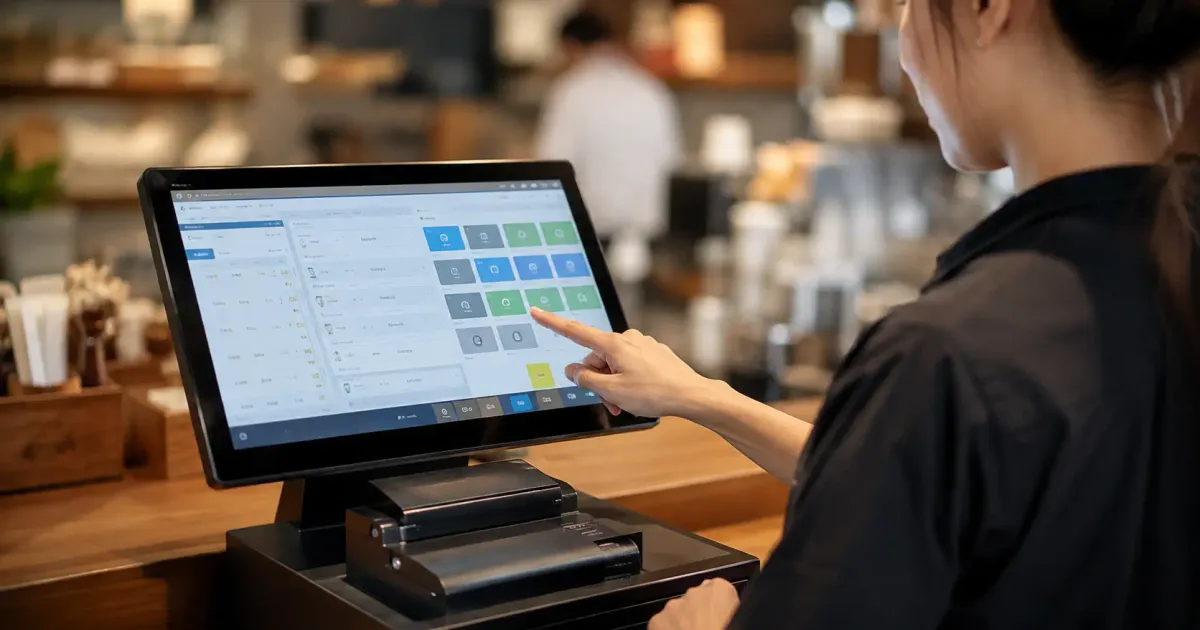
There's a moment almost every business owner has experienced: a line of customers snaking out the door, while the cashier scrambles for a calculator because that day's sales are still logged by hand in a notebook. If that sounds familiar, you're probably searching for the same answer as thousands of other business owners every month — which cashier app actually fits my business?
That question sounds simple, but the answer isn't. There are dozens of cashier apps circulating in Indonesia, each claiming to be the "most complete" or "easiest to use". We wrote this article as a master guide — a kind of roadmap — before you dive into more specific topics like free cashier apps, restaurant cashier apps, or platform comparisons. All the supporting links are at the bottom, but let's start with the basics first: what exactly is a POS system, and why has it become a near-universal need for almost every type of business?
Table of Contents
- What Is a POS System, and Why It's Not Just a 'Cash Register'
- How Big Is This Shift, Really?
- Why Now Is the Time to Move On From Manual Recording
- Types of Cashier Apps Based on Need
- By Access Method
- By Device
- By Industry
- How a POS System Works Behind the Scenes
- Common Mistakes That Cost Businesses Money When Choosing a Cashier App
- Features That Get Overlooked, But Are Crucial
- What Does It Actually Cost?
- When an Off-the-Shelf Cashier App Is No Longer Enough
- A Quick Checklist Before You Decide
- Frequently Asked Questions
- Does a cashier app have to be connected to the internet?
- Is sales data safe if I use an online cashier app?
- How long does it take to switch to a new cashier app?
- Is a free cashier app really enough for a small business?
- What's the difference between a cashier app and an ERP system?
- Continue to More Specific Topics
What Is a POS System, and Why It's Not Just a 'Cash Register'
POS stands for Point of Sale — the point where a sales transaction actually happens. In the past, this point was represented only by a mechanical cash register that could just record totals and open the cash drawer. Modern POS systems go far beyond that: a single app that simultaneously records sales, automatically deducts stock, stores customer data, and generates real-time financial reports.
The difference becomes obvious when compared directly. A conventional cash register only knows one thing: the total amount due. A POS system knows much more — which products sell best at what time, which stock is running low, which customers come back most often. That information is what actually separates a business that stays stagnant from one that can make decisions based on data, not gut feeling.
How Big Is This Shift, Really?
This isn't just a trend cashier-app marketers are overhyping. Data from the Ministry of Micro, Small, and Medium Enterprises shows the number of MSMEs in Indonesia has reached around 64.2 million business units, but only about 25.5 million are actually integrated into the digital ecosystem as of mid-2024. That means the majority of businesses in Indonesia are still running on old methods — which is a huge opportunity for those who switch first.
Even more interesting, Bank Indonesia recorded that 1,655 active MSMEs transacting through digital channels saw 29.9% year-over-year revenue growth during the 2025 Karya Kreatif Indonesia period. That number isn't a coincidence — once the recording and transaction process becomes tidier, business owners can see sales patterns that were previously invisible, then make better decisions about stock, promotions, or operating hours.
Why Now Is the Time to Move On From Manual Recording
If you're still using a notebook or a manual spreadsheet, that doesn't mean you're behind the times — plenty of successful businesses started that way. But there's a point where the manual approach becomes a hindrance rather than a help. Here are a few signs we often hear from clients before they finally make the switch:
- Daily sales recap takes more than 30 minutes every time you close the store.
- Discrepancies between physical stock and records happen often, but the cause is never clear.
- More than one person handles the register, and it's hard to track who's responsible for discrepancies.
- You want to open a second branch, but aren't sure how to monitor two stores at once.
If at least two of the four points above sound like your current situation, that's a strong enough signal that a POS system is no longer 'nice to have' — it's starting to become an operational necessity.
Types of Cashier Apps Based on Need
One of the most common mistakes when choosing a cashier app is treating every business's needs as the same. A grocery store's cashier needs are different from a restaurant's, which has to handle tables and split bills. Here's the rough breakdown:
By Access Method
- Online cashier apps — data stored in the cloud, accessible from anywhere, ideal for those who want to monitor their store remotely.
- Offline cashier apps — run without a stable internet connection, reliable for locations with inconsistent signal.
By Device
- Android-based — flexible, cheap on the hardware side, suitable for small-to-medium mobile businesses.
- PC/desktop-based — stable for high transaction volumes, commonly used by minimarkets and large restaurants.
By Industry
- Retail and stores — focused on stock management and barcodes.
- F&B (restaurants, cafes) — focused on table management, split bills, and kitchen integration.
- Specific niches (laundry, pharmacies) — need specific features that generic cashier apps don't have.
We cover each of these categories in more depth in separate articles — the links are in the closing section so you can jump straight to whichever is most relevant to your type of business.
Here's a concrete example: a small roadside grocery store usually only needs a simple Android cashier app that can scan barcodes and track stock — it doesn't need split-bill or table-management features. On the other hand, a cafe with 15 tables and a frequently changing menu needs a system that can manage table numbers, send orders straight to the kitchen printer, and split the bill per person at the same table. If your business is in laundry or pharmacy instead, the needs are different again — laundry needs per-order status tracking (washing, ironing, ready for pickup), while a pharmacy needs to record medicine expiration dates and prescriptions. Treating all these different needs the same way in one generic app usually ends up with a half-baked solution that doesn't really fit anywhere.
How a POS System Works Behind the Scenes
So you don't just know the term but also understand how it works, here's the short version. When a cashier enters a transaction — whether by scanning a barcode, tapping a menu on screen, or typing it in manually — the system immediately does three things at once: records the transaction amount into the digital cash book, deducts the sold product quantity from the inventory database, and saves that data into a transaction history that can be pulled into a report at any time.
If the system is cloud-based, that data is also synced to the server right away, so it can be accessed from other devices — for example, a business owner who wants to check today's revenue from their phone without having to be at the store. If the system is offline-first, transactions are still recorded on the local device first, then synced once an internet connection is available again. These two approaches have different trade-offs, which we cover in more depth in our online vs. offline cashier app article.
The key point: a good POS system isn't just a calculator — it's a bridge between the transaction happening up front (the register) and the data needed in the back office (stock, finances, business decisions). If any one part of that chain breaks — say, stock isn't updated automatically — you're back to the same problem as manual recording, just wrapped in an app.
Common Mistakes That Cost Businesses Money When Choosing a Cashier App
From experience helping many business owners map out their system needs, a few mistakes come up again and again — and they're usually only noticed after a few months of use, once a lot of data is already stored in a system that turns out not to fit.
- Fixating on the cheapest price without checking monthly transaction limits — many 'free' plans cap the number of transactions or products, which only becomes apparent once the business starts growing.
- Not checking upfront whether data can be exported — if you ever want to switch platforms, some apps lock in your data and make it hard to migrate.
- Ignoring customer support — when a technical issue comes up during a busy period, a slow response can mean delayed transactions.
- Choosing an app based on features that 'look cool' but aren't relevant to the daily workflow, while the basic features actually used every day are underdeveloped.
These mistakes all share the same thread: the decision is made based on first impressions (price, demo, marketing), not on how the app will actually be used in daily operations for years to come.
Features That Get Overlooked, But Are Crucial
Most people focus on price and appearance when choosing a cashier app, but there are a few features with a much bigger long-term impact:
- Real-time stock management — without this, you only find out you're out of stock after a customer complains, not before it happens.
- Multi-user access with different permission levels — so it's clear who opened which shift and who entered which transaction.
- Automatic data backup — many businesses lose years of data just because a phone or laptop broke with no backup.
- Exportable reports — for tax purposes, monthly reviews, or investor presentations.
- Integration capability — for example with accounting systems or CRM apps once your business starts growing toward more complexity.
What Does It Actually Cost?
This is a question that's rarely answered honestly. Many cashier apps are marketed as 'free', but in reality costs often show up later — transaction fees, extra-outlet fees, or important features locked behind a paid plan. We cover this in more detail in our article on free cashier apps: worth it or is there a catch, because this topic is really important to understand before you commit to a platform.
As a rough picture, the available options generally fall into three: free with feature/transaction limits, a monthly subscription (starting from a few hundred thousand rupiah), or custom development if your business needs are specific enough that they aren't met by generic solutions on the market.
When an Off-the-Shelf Cashier App Is No Longer Enough
There's a certain point where a ready-made cashier app — no matter how good — starts to feel limiting. This usually happens when your business has a unique workflow: a custom loyalty system, integration with a specific supplier, or an unusual combination of point-of-sale and warehouse management. At this point, custom development starts to make sense — not because off-the-shelf apps are bad, but because your business now has needs more specific than average.
The right cashier app isn't the one with the most features — it's the one that fits how your business actually runs day to day.
To make this less abstract, we also have concrete illustrative examples of how a system like this is typically designed — for instance, a retail store that needs POS and centralized sales reporting, or a restaurant that needs POS and inventory management combined into one system. Take these as illustrations, not a guarantee of specific results.
A Quick Checklist Before You Decide
Before subscribing to or buying any cashier app, try answering these questions first:
- Does this app have a trial or demo version I can test with my own store's data, not just sample data?
- If I open a second branch later, can the system monitor multiple outlets from one dashboard?
- If I stop subscribing, can my transaction and product data be downloaded easily?
- Are there hidden costs — per transaction, per printer, per additional user?
- How fast does the support team respond when there's an issue during the store's busy hours?
If you find it hard to answer any of these just from an app's marketing page, that's itself a signal — ask the provider directly before committing, or read our full guide on how to choose the right cashier app.
Frequently Asked Questions
Does a cashier app have to be connected to the internet?
Not always. Some cashier apps are designed to work offline and only sync data once a connection is available — ideal for locations with unstable signal. We cover this option in more detail in our offline PC cashier app article.
Is sales data safe if I use an online cashier app?
As long as you use a provider with clear backup and encryption systems, data is actually safer than manual records, which can easily get lost, torn, or damaged by water/spills — a very real risk for F&B businesses.
How long does it take to switch to a new cashier app?
For small-to-medium businesses, the initial data entry process (products, prices, stock) usually takes 1–3 days, depending on the number of items to enter. For businesses with thousands of SKUs or special integration needs, the process can take longer and usually involves help from the system provider's technical team.
Is a free cashier app really enough for a small business?
For a business just starting out with low transaction volume, it's often enough. But there are limits you need to understand from the start so you're not caught off guard later — the full breakdown is in our article on free cashier apps: worth it or is there a catch.
What's the difference between a cashier app and an ERP system?
A cashier app focuses on the point of sale transaction, while an ERP system manages business operations more broadly — from finance and procurement to human resources. Many businesses start with a cashier app, then move up to ERP as operational complexity increases.
Continue to More Specific Topics
This guide only scratches the surface. For more specific needs, continue on to:
- Free cashier apps: worth it or is there a catch
- Cashier apps for retail and stores
- Restaurant and cafe cashier apps
- What is Point of Sale (POS)?
- Best cashier apps in Indonesia
If your business needs turn out not to be answered by any off-the-shelf app, our team at Altive Dev can help build a custom cashier system that truly matches your workflow — instead of you having to adapt to the app. Tell us what you need, and we'll help map out the solution.



Comments
Got a question or feedback? Leave a comment!