
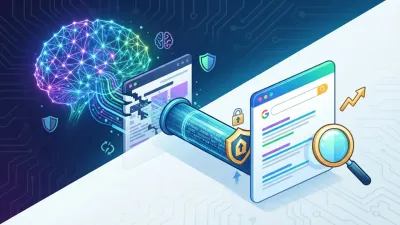
AI agents for Google Ads are starting to change how PPC practitioners work. Instead of opening the Google Ads dashboard, exporting a report, hunting for a problem campaign, and adjusting settings one at a time, a marketer can ask an agent to read data across accounts, explain an anomaly, and — if the connector allows it — execute the action directly.
This change is covered in a Search Engine Journal article on what happens when PPC is no longer managed through the Google Ads interface. Frederick Vallaeys describes a workflow where a practitioner asks Claude to check spend across several accounts, finds an account drifting off pacing, and takes a follow-up action without ever opening the Google Ads UI.
The technology enabling this pattern is the Model Context Protocol, or MCP. But the source article carries an important warning: moving PPC work from an interface to an AI agent isn't just an efficiency question. It shifts the source of risk from "a wrong click" to "an agent misunderstanding the structure, the state, or the intent."
Table of Contents
- What Is MCP in PPC Management?
- What Three Ways of Working Does SEJ Discuss?
- Why Does the Manual UI Still Have Value?
- What's Different About AI Inside the Interface?
- What Changes When AI Works Outside the Interface?
- Does Google Have an Official MCP Server for Google Ads?
- Why Is a Third-Party Connector Different?
- What's the First Risk: Can AI Misunderstand the Structure?
- What's the Second Risk: State Getting Lost in the Conversation?
- What's the Third Risk: Forgotten Automation?
- What's the Fourth Risk: Silent Failure?
- What's the Lesson From the Google Ads Scripts Era?
- Why Is an Agent More Dangerous Than a Broken Script?
- Step 1: Why Should You Start With Read-Only?
- Step 2: Audit the Connector's Capability
- Step 3: Why Do Guardrails Need to Live at the Connector Layer?
- Step 4: Why Does Memory Need to Outlast the Chat?
- Step 5: Ask for a Plan Before Any Action
- Step 6: What's the Difference Between a Change Log and a Decision Log?
- Step 7: Why Should You Still Open the Google Ads UI?
- Does This Mean the Google Ads UI Era Is Ending?
- What's the Impact on the PPC Manager Role?
- What's the Impact on Agencies?
- Should an Agent Be Given Write Access Right Away?
- What's the Connection to Generative AI?
- An AI Agent Governance Checklist for Google Ads
- What Shouldn't Be Concluded From This Article?
- FAQ About AI Agents for Google Ads
- Can an AI agent manage Google Ads without opening the dashboard?
- Can Google's official MCP pause a campaign?
- Why start read-only?
- Is a prompt enough to cap spend?
- What is a decision log?
- Is a PPC manager still needed?
- Conclusion
What Is MCP in PPC Management?
MCP, or the Model Context Protocol, is a standard way for an AI assistant to connect to an external tool or system, read its data, and execute whatever capability the connector actually grants.
Conceptually, MCP is a lot like an API for an agent. An AI model doesn't get free access to an entire system. It only sees the tools, data, and actions the connector chooses to expose.
The flow can be pictured like this:
User
  ↓
AI Agent
  ↓
MCP Connector
  ↓
Google Ads / CRM / Analytics
  ↓
Data or Action
In the context of pay-per-click advertising, MCP lets work like reporting, analysis, anomaly detection, and potentially campaign changes happen through conversation or an agent workflow.
What Three Ways of Working Does SEJ Discuss?
The article splits the modern PPC workflow into three main patterns.
Mode | How It Works | Main Advantage |
|---|---|---|
Manual in the UI | The practitioner operates Google Ads directly | State and ground truth are clearly visible |
AI inside the UI | The assistant operates within the interface's limits | Safer, since capability is bounded by the interface |
AI outside the UI | An agent connects via MCP/connector | Speed, orchestration, and cross-tool reach |
The biggest change happens in the third mode. A user no longer learns the interface. They state the outcome, and the agent tries to reach it.
Why Does the Manual UI Still Have Value?
An interface has one advantage that's hard to replace: state is visible by default.
When adding a keyword, a user sees that keyword show up in the table. When a campaign is active, its status is visible. When you want to check a setting two weeks later, it's in the same place.
According to Vallaeys, the UI provides "ground truth." Everyone can look at the same screen and understand the account's current state.
Its weakness is speed and scale. A practitioner has to know where each button is and repeat a lot of actions manually.
What's Different About AI Inside the Interface?
AI that lives inside a product's own interface has a much clearer boundary.
SEJ gives the example of Google Ads Advisor and Optmyzr's Sidekick. An important disclosure: the article's author is a co-founder of Optmyzr.
The advantage of this approach is that an agent can't "invent a new button." It works within whatever capability already exists in the application.
In other words:
AI inside the UI
=
capability bounded by the product surface
This doesn't make the system risk-free, but the blast radius is far easier to reason about.
What Changes When AI Works Outside the Interface?
When an agent like Claude, ChatGPT, or Gemini connects through a connector, it can work without ever making the Google Ads UI the center of the workflow.
An agent can pull data, analyze it, and then talk to another tool.
For example:
Google Ads data
      ↓
AI Agent
      ↓
Analyze overspend
      ↓
Pause a specific entity
      ↓
Draft an email to the client
The value here is enormous, since one conversation can tie several systems together.
But the boundary also becomes much harder to see.
Does Google Have an Official MCP Server for Google Ads?
Yes. According to the SEJ article, Google provides an official MCP server for the Google Ads API.
But the version the author discusses is read-only.
It provides three main tools:
- listing accounts;
- running GAQL queries;
- describing resources.
Google's official server can't yet change a bid or pause a campaign, in the release the article discusses.
The article notes Google's own specification labels the mode "read-only (current release)," which suggests write capability wasn't available at the time the source was published.
Why Is a Third-Party Connector Different?
A third-party connector can offer broader capability than Google's official MCP.
In the author's example, the Optmyzr connector can combine:
- Google Ads data;
- GA4 behavior;
- competitor overlap;
- vertical benchmarks;
- account change history.
A specific connector can also carry write access.
This gives an agent far more context, but it automatically raises the risk if permissions and guardrails aren't designed correctly.
What's the First Risk: Can AI Misunderstand the Structure?
Hallucination is usually understood as a model stating a wrong fact. In an API workflow, there's another kind of error: a model misunderstanding the shape or structure of the data.
An API demands strict syntax and hierarchy.
If an agent confuses:
- a campaign;
- an ad group;
- a keyword;
- an asset group;
the result can be far more serious than a wrong text answer.
SEJ gives a hypothetical example: an agent that thinks a user wants a new ad group could end up creating many new campaigns instead, if it misunderstands the entity structure.
When it's only reading data, an error like that is annoying. Once it has write access, the error becomes expensive.
What's the Second Risk: State Getting Lost in the Conversation?
In a UI, state has a fixed place. In a chat, state can get buried in the transcript.
For example, a marketer asks:
"Add keyword X to ad group Y."Two weeks later, the answer to "what's ever been changed?" might be scattered across several separate conversations.
Vallaeys warns that business state shouldn't depend on scrolling back through a chat transcript.
An agent workflow needs a persistent data source that lives outside the conversation.
What's the Third Risk: Forgotten Automation?
A scheduled agent, a recurring routine, or an automated task can keep running long after the original conversation ends.
An example from the article:
Scheduled task:
check for underperforming search terms

If found:
send a follow-up email
The problem shows up when one of the connectors fails.
The analysis might keep running while the email never gets sent. Or the reverse.
A partial failure like this is often much harder to spot than a total crash.
What's the Fourth Risk: Silent Failure?
The author draws on his own experience from the Google Ads Scripts era.
He once built a script to record account-level Quality Score. It worked fine on a small account, but on a large account the process hit an execution limit and stopped.
The weekly email then simply never arrived.
The problem: people usually notice quickly when they get an error notification. They don't always notice when a notification simply never shows up at all.
The author sums this up with an important idea:
A report can be rerun.
Yesterday can't be rerun.
If a point-in-time data point never gets logged, it can be gone permanently.
What's the Lesson From the Google Ads Scripts Era?
Google Ads Scripts became available in a limited way in June 2012 and launched globally a few months later.
Based on the author's own agency experience, scripts then spread quickly.
People copied a script from a blog, installed it, but didn't always document:
- what it does;
- who owns it;
- which account it runs on;
- what happens if it fails.
Then the person who installed the script moved to a different company.
The script kept running for years — or it just quietly stopped, with no one aware.
Governance eventually caught up through script registries, version control, and failure alerting.
Why Is an Agent More Dangerous Than a Broken Script?
A broken script usually makes the same mistake consistently.
An agent has the ability to improvise.
Because of that:
Broken script:
fails consistently

Hallucinating agent:
can fail creatively
That doesn't mean an agent is always worse. But monitoring and auditability need to be much stronger.
Step 1: Why Should You Start With Read-Only?
SEJ recommends starting with read-only access.
Use an agent for:
- reporting;
- analysis;
- pulling data;
- finding anomalies;
- comparing accounts.
The goal isn't just "being careful." A team is learning where an agent tends to get confused while the cost of a mistake is still low.
Google's official read-only MCP is one sensible place for this kind of experimentation.
Step 2: Audit the Connector's Capability
Don't assume a connector is safe just because it can be plugged into an agent.
The article quotes Anthropic's own warning that it doesn't control tools built by developers and can't guarantee those tools always work as expected.
Before using a connector, audit:
- what tools are available;
- which ones are read-only;
- which ones can write;
- how much a single call can change;
- the account scope;
- its failure behavior.
Step 3: Why Do Guardrails Need to Live at the Connector Layer?
One of the article's strongest arguments is that a prompt isn't a security boundary.
An instruction like:
"Don't spend more than $500."is just an instruction given to the model.
A real guardrail has to be enforced where the action actually executes.
For example:
- restrict which accounts can be accessed;
- use a login with minimum permissions;
- build a write function scoped to a specific action;
- cap the number of entities that can be changed;
- build a read-only query escape hatch;
- enforce a row cap.
Blast radius needs to be a property of the system, not a sentence you hope the model remembers.
Step 4: Why Does Memory Need to Outlast the Chat?
Client rules, account context, and past decisions shouldn't disappear when a conversation gets deleted or compacted.
The article gives an example of memory used at several levels:
- account-level instructions;
- specific ad-account instructions;
- individual user preferences.
The author also mentions a file like CLAUDE.md as one way to store important logic within a given environment.
The broader principle:
Business memory
needs to live in a system of record,
not just in the model's context.
Step 5: Ask for a Plan Before Any Action
Before granting an agent full write access, ask for a preview of the change.
An ideal preview includes:
- the account;
- the entity;
- the current value;
- the proposed value;
- the data supporting the decision.
This way, a human reviewer can check the change before it's ever executed.
That's far stronger than simply asking "are you sure?" after the action has already happened.
Step 6: What's the Difference Between a Change Log and a Decision Log?
Google Ads has a change history, but a change history records what changed.
It doesn't always explain why the change was made.
Log | Question It Answers |
|---|---|
Change Log | What changed? |
Decision Log | Why was the change made? |
Vallaeys recommends logging:
- what was considered;
- the supporting data;
- what the agent chose;
- what it deliberately chose not to do;
- who or what system executed it.
A decision log needs to live somewhere that outlasts the chat transcript.
Step 7: Why Should You Still Open the Google Ads UI?
Even with an agentic workflow, the article recommends periodic verification in the UI.
The reason isn't that every agent should be treated as untrustworthy.
The UI can show things an agent never mentioned.
An agent only answers based on what it was asked, or what it found within a specific workflow.
The interface offers a broader visual state.
Does This Mean the Google Ads UI Era Is Ending?
The article uses the framing "the end of the interface era," but the real meaning leans more toward a declining dependence on manual button-pushing.
The UI doesn't automatically disappear.
It still serves as:
- ground truth;
- a verification surface;
- a state-inspection tool;
- a debugging tool;
- a human control layer.
What's likely to shrink is the need to use the UI for every routine action.
What's the Impact on the PPC Manager Role?
A PPC practitioner's role is shifting from interface operator to automation supervisor.
The old important skills:
- knowing where a setting lives;
- mastering Editor;
- exporting reports;
- running bulk edits.
In an agentic workflow, the new skills include:
- defining the objective;
- designing the guardrail;
- reviewing the agent's plan;
- understanding the connector's capability;
- managing the decision log;
- detecting silent failure;
- determining the blast radius.
What's the Impact on Agencies?
An agency managing many accounts gets the biggest potential scale, but also the biggest governance risk.
A single agent can operate across multiple accounts.
Because of that, an agency needs a registry that answers:
Which agents are active?
Which connectors are in use?
Which accounts can be accessed?
What are the permissions?
What tasks are scheduled?
Who owns each one?
What happens if it fails?
Should an Agent Be Given Write Access Right Away?
Not according to the source's framework.
A safer sequence:
Read-only
→ observe behavior
→ add narrow write capability
→ require a preview
→ monitor
→ expand only if justified
This lets trust get built from evidence, not assumption.
What's the Connection to Generative AI?
This shift shows generative AI evolving from an answer system into an action system.
A traditional chatbot:
"Which campaign is overspending?"An agentic system:
"Find the campaign that's overspending,
explain why,
pause it if it meets the rule,
and draft an email to the client."
The main difference sits in execution.
If your team has previously covered WebMCP, MCP, AI agents, or agentic workflows, the internal article New AI Protocols Won't Save SEO Without Knowledge Architecture can serve as an internal link once the previous article's URL is verified.
An AI Agent Governance Checklist for Google Ads
- Start read-only.
- Audit the connector's capability.
- Use a least-privilege account.
- Enforce guardrails at the connector layer.
- Persist account context.
- Require a preview before any change.
- Keep a decision log.
- Monitor scheduled tasks.
- Build failure alerting.
- Verify periodically in the UI.
What Shouldn't Be Concluded From This Article?
There are a few conclusions that go too far.
- The article doesn't prove the Google Ads UI will actually be removed.
- The Google MCP discussed here doesn't yet have write access.
- A third-party connector isn't automatically safe just because it supports MCP.
- An AI agent isn't automatically better than a manual workflow.
- Automation doesn't remove the need for human accountability.
The source actually argues the opposite: the more action gets shifted to an agent, the more supervision matters.
FAQ About AI Agents for Google Ads
Can an AI agent manage Google Ads without opening the dashboard?
Yes, for some workflows. With MCP or a connector, an agent can read data and, on certain connectors with write access, take action without directly using the UI.
Can Google's official MCP pause a campaign?
Not in the version SEJ discusses. Google's official MCP server for Google Ads is read-only and provides account listing, GAQL queries, and resource descriptions.
Why start read-only?
Read-only gives you a chance to learn an agent's error patterns and points of confusion without making a change with real financial impact.
Is a prompt enough to cap spend?
No. The article stresses that guardrails need to be enforced at the connector or permission layer, not just through a prompt instruction.
What is a decision log?
A decision log records the reasoning behind a change: the evidence used, the options considered, the action taken, and the action deliberately not taken.
Is a PPC manager still needed?
Yes. The role is shifting from button-pushing toward supervision, governance, analysis, and reviewing automation and AI agents.
Conclusion
AI agents for Google Ads are starting to move the PPC workflow outside the interface. With MCP and connectors, a marketer can read data, analyze an account, pull in context from other systems, and, on certain tools, execute a change directly.
But Search Engine Journal shows that the biggest problem isn't the agent's capability. It's governance. An agent can misunderstand the API's structure, state can get lost in chat, scheduled automation can get forgotten, and a partial failure can run undetected.
The lesson from the Google Ads Scripts era still applies: capability usually arrives before governance does. This time the risk is bigger, because an agent can improvise.
Because of that, a safer workflow starts with read-only access, minimum permissions, guardrails at the connector layer, persistent memory, a preview before any change, a decision log, failure alerting, and periodic verification through the interface.
If your business wants to build an AI agent, an MCP integration, marketing automation, PPC monitoring, or a governance layer for a generative AI workflow connected to your business systems, you can discuss your business's technology needs with our technical team.


Comments
Got a question or feedback? Leave a comment!