
Quick summary: a POS app for restaurants and cafes must have at least three features a regular retail store doesn't need — table and order management, bill splitting, and direct kitchen integration (kitchen display or kitchen printer). Without these three, the risk of wrong orders and slow queues during rush hours is far higher.
We wrote this guide based on recurring patterns we've seen while helping map out system requirements for restaurant and cafe businesses — from those just opening their first outlet to those already running several branches. This article is part of the complete guide to POS apps and systems.
Table of Contents
- Why Restaurants and Cafes Can't Just Use a Generic POS App
- Must-Have Features — The Short Answer
- Table and Order Management: Why It's Crucial
- Bill Splitting: A Simple Feature That's Often Underrated
- Kitchen Integration: From Paper Tickets to Kitchen Display
- Managing Raw-Ingredient Stock, Not Just Finished Goods
- Supporting Hardware That's Often Left Out of the Budget
- Staff Management and Access Rights at a Restaurant
- Short Case Study: A Cafe That Successfully Cut Order Mistakes
- Frequently Asked Questions About Restaurant POS Apps
- Does a small cafe with just one register still need table-management features?
- How long does it take to set up the menu and recipes in a restaurant POS app?
- Can a POS app help reduce food waste?
- How do cafe needs differ from a full-service restaurant's?
- Does a small restaurant with 1-2 employees still need a system this complete?
- Are restaurant POS apps usually more expensive than retail POS apps?
- An Example System We Designed for Similar Needs
- Integration with Online Delivery Platforms
- How to Evaluate a Restaurant POS Vendor Before Subscribing
- Common Mistakes When Choosing a Restaurant POS App
- If Your Restaurant's Needs Are More Specific Than Any Off-the-Shelf App
Why Restaurants and Cafes Can't Just Use a Generic POS App
Restaurants and cafes have operational complexity that's far different from a retail store. A single order can involve many items with special notes (spice level, no onions, extra cheese), needs to be routed to the right kitchen station, and then billed — sometimes split per person, sometimes combined for one table. A POS app designed for simple retail usually has no workflow for this scenario at all.
A common mistake: a new restaurant owner picks a cheap POS app that's actually generic, then only realizes its limitations after opening — usually at the worst possible moment, right when the restaurant is at its busiest.
Must-Have Features — The Short Answer
If you only have a minute to read this article, here are the five features that matter most for a restaurant/cafe POS app:
- Table and order-status management (empty, occupied, awaiting payment).
- Flexible bill splitting and merging, including splitting per item, not just an even split.
- A kitchen display system or automatic kitchen printing, so orders don't need to be rewritten by hand.
- Recipe and raw-ingredient stock management (not just finished-goods stock like in retail).
- Sales reports by menu item, by hour, and by category — to know which menu items are actually profitable.
Table and Order Management: Why It's Crucial
In a restaurant or cafe with more than 5-6 tables, relying on a server's memory of 'which table ordered what' is a recipe for mistakes. A good table-management system shows each table's status visually — empty, just ordered, waiting on food, or ready to pay — so even a brand-new staff member can immediately understand the restaurant's state without having to ask around.
This feature also helps manage the queue when the restaurant is full — staff can tell which table is likely to free up first, without having to physically walk around checking each one.
Bill Splitting: A Simple Feature That's Often Underrated
Many POS apps claim to have a bill-splitting feature, but the implementations vary wildly. Good bill splitting needs to be able to divide the bill per item (not just split the total evenly), handle cases where one person pays for several items belonging to friends, and stay accurate when a discount or promo applies to only some items.
If this feature isn't well-built, the impact shows up immediately during rush hours — the checkout queue backs up because staff have to manually calculate a bill split that should have been automatic.
Kitchen Integration: From Paper Tickets to Kitchen Display
The traditional way of sending orders to the kitchen — a paper ticket carried by hand — is prone to getting lost, prone to misread handwriting, and leaves no timestamp of when the order came in. Modern systems usually offer two options: an automatic kitchen printer that prints the order the moment it's entered at the register, or a kitchen display system (a digital screen in the kitchen) that shows the order queue in real time.
For a small cafe with a limited menu, a simple kitchen printer is usually enough. For a restaurant with a complex menu and multiple cooking stations (grill, dessert, drinks), a kitchen display system that can mark status per item (cooking, ready to serve) is far more effective at reducing mistakes.
Another difference that's rarely noticed: a kitchen printer only prints the order with no way to track whether it's been completed, while a kitchen display usually has a status that kitchen staff can update directly. For a restaurant with high order volume during rush hours, this ability to track status per order is what separates an organized kitchen from an overwhelmed one.
Managing Raw-Ingredient Stock, Not Just Finished Goods
This is a fundamental difference from retail. A retail store sells finished goods — one product sold, that product's stock drops by one. A restaurant sells dishes made up of several raw ingredients at once. One portion of chicken fried rice, for example, deducts rice, chicken, egg, and seasoning stock in certain proportions.
A mature restaurant POS app has a recipe management feature — defining which raw ingredients and how much of each per menu item, so that once that item sells, its ingredient stock is automatically deducted according to the recipe. Without this feature, a restaurant owner only finds out an ingredient has run out when it's actually gone from the kitchen — usually in the middle of a busy rush, not before it happens.
In the F&B business, finding out too late that ingredient stock is running low isn't just a matter of lost money — it's about disappointed customers whose favorite menu item is suddenly unavailable.
Supporting Hardware That's Often Left Out of the Budget
When calculating the cost of a restaurant POS app, many business owners only account for the software subscription, when there's also supporting hardware that needs budgeting: thermal printers for receipts and the kitchen, a cash drawer, a tablet or POS terminal for the register, and sometimes an extra printer if the kitchen has more than one station (for example, a separate drinks station from the food station).
Before subscribing to a particular app, also check its hardware compatibility — some POS apps lock users into a specific hardware brand that can be far pricier than generic hardware compatible with other apps.
Staff Management and Access Rights at a Restaurant
A restaurant usually has more staff roles than a retail store — cashier, server, head chef, and shift manager, each needing different levels of system access. A server may only need to enter orders and view table status, while a manager needs full access to sales reports and menu settings.
This multi-level access feature matters not just for data security, but also for accountability — if there's a cash discrepancy or a suspicious order cancellation, a system that logs who did what and when makes investigating far easier than having to guess.
Short Case Study: A Cafe That Successfully Cut Order Mistakes
One pattern we've observed from a cafe that successfully transformed: a cafe with 40-seat capacity originally relied on paper tickets and verbal communication to the kitchen. On average, there were several order mistakes every day — wrong item, wrong note (forgetting 'no sugar', for instance), leading to wasted food/drinks and customers having to wait longer for a replacement order.
After switching to a system with a kitchen display and structured menu modifiers (every special note becomes a button choice, not free handwriting), order mistakes dropped significantly because every special request was clearly recorded and sent straight to the kitchen screen without going through verbal communication that's easy to mishear in a noisy environment. Kitchen staff also gained an exact timestamp of when each order came in, helping them prioritize whichever order had been waiting longest.
Frequently Asked Questions About Restaurant POS Apps
Does a small cafe with just one register still need table-management features?
If your cafe has seating for customers (not just takeaway), this feature is still useful once you have more than 4-5 tables — below that, staff memory is usually still reliable enough.
How long does it take to set up the menu and recipes in a restaurant POS app?
For a restaurant with dozens of menu items, entering the menu along with ingredient recipes usually takes 2-5 days, depending on how detailed the existing recipe data is. A restaurant without written recipe documentation usually needs more time since it has to build that from scratch.
Can a POS app help reduce food waste?
Indirectly, yes — with per-menu sales data and accurate ingredient stock tracking, a restaurant owner can estimate daily ingredient needs more precisely, reducing over-ordering that ends up wasted.
How do cafe needs differ from a full-service restaurant's?
A cafe usually has a more compact menu and a faster order-pay-pickup flow (similar to fast-casual), while a full-service restaurant needs a longer order-cook-serve-pay flow with more intensive table management. The right app for a cafe isn't necessarily ideal for a full-service restaurant, even though both are F&B businesses.
Does a small restaurant with 1-2 employees still need a system this complete?
Not all of the above features are mandatory from day one. A small restaurant/cafe can start with the core features — clean order and payment recording — then add features like a kitchen display or recipe management as operations scale up. What matters is choosing a platform with a clear upgrade path, so you don't need a full system change once the business grows.
Are restaurant POS apps usually more expensive than retail POS apps?
Generally yes, because the feature complexity required (table management, recipes, kitchen display) is higher than a simple retail POS app. But this is matched by the value gained — reducing order mistakes and ingredient waste usually far outweighs the difference in subscription cost.
An Example System We Designed for Similar Needs
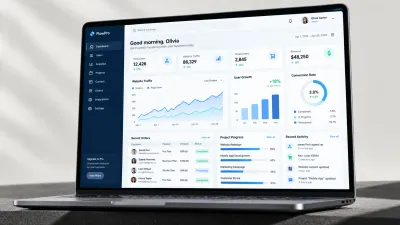
As a concrete illustration, we have a design example for a restaurant that needed POS and inventory management combined into one integrated system — covering transaction recording, ingredient recipes, and sales reports in a single platform. This is an illustration of an approach, not an off-the-shelf product, but it can serve as a reference if your restaurant's needs are fairly specific.
Integration with Online Delivery Platforms
For many restaurants and cafes today, sales through online delivery platforms have become a channel that can't be ignored. The problem is, if orders from these platforms have to be entered into the POS system manually one by one, the risk of mistakes and delays goes up — especially when online orders and dine-in orders come in at the same time during rush hours.
A POS app with direct integration to delivery platforms can receive online orders straight into the system and the kitchen without manual re-entry, while also combining dine-in and online sales reports into one dashboard. This helps a restaurant owner see the full picture of business performance, instead of data scattered across several separate apps.
How to Evaluate a Restaurant POS Vendor Before Subscribing
Besides checking the feature list, it's also worth evaluating the vendor directly before committing long-term:
- Ask for a demo using your restaurant's real scenarios — not just a generic sales demo, but actually try entering your own restaurant's menu and modifiers.
- Ask how technical support works when issues come up during operating hours — is there live chat, phone support, or just slow-response email.
- Check whether the vendor has a track record serving restaurants at a similar scale to yours, not just generic testimonials.
- Make sure there's a long enough trial period to actually experience the system in daily operations, not just a five-minute demo.
Common Mistakes When Choosing a Restaurant POS App
Beyond the feature issues discussed above, restaurant POS selection mistakes often stem from an evaluation process that's too rushed — an owner in a hurry to open quickly picks based on a passing recommendation without directly checking whether the features actually fit the restaurant concept being run.
- Focusing on an attractive digital menu display while ignoring order-entry speed during rush hours.
- Not checking whether the app flexibly supports menu modifiers (spice level, extra toppings).
- Overlooking the waste/void reporting feature — the record of cancelled or mistaken orders, which matters for loss control.
- Not considering integration with online delivery platforms, even though this is an increasingly significant sales channel for many restaurants.
If you want a more thorough guide on evaluating POS apps in general before narrowing down to restaurant-specific needs, also read how to choose the right POS app.
If Your Restaurant's Needs Are More Specific Than Any Off-the-Shelf App
Some restaurants and cafes with unique concepts — a menu that changes seasonally, a custom loyalty system, or a combination of dine-in and catering in one operation — need a system that generic apps don't fully cover. Our team at Altive Dev can help design a custom POS and restaurant management system tailored to your specific workflow. Tell us about your restaurant's needs, and we'll help map out the solution.


Comments
Got a question or feedback? Leave a comment!