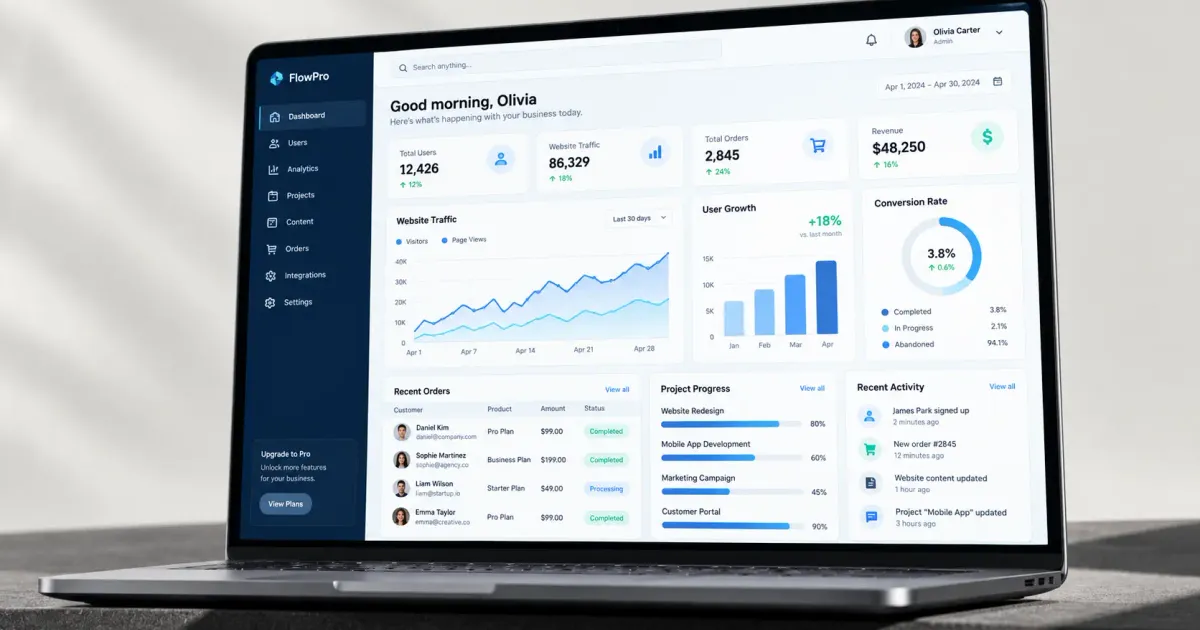
Many businesses already have a website for marketing and a POS app for transactions, but still struggle to manage internal operations — employee data, reports scattered everywhere, approval processes still handled manually over email or chat. At this point, the business's need has usually shifted from 'a website' to something more specific: a web app and admin dashboard designed specifically for internal workflows.
This guide covers what web app development is in depth, when your business starts needing it, and how the development process usually works.
Table of Contents
- What's the Difference Between a Web App and a Regular Website?
- When Does Your Business Need a Custom Web App or Admin Dashboard?
- Why E-E-A-T Matters When Choosing a Web App Development Partner
- Data: The Need for Operational Digitalization in Indonesia
- Common Components in a Web App and Admin Dashboard
- Topic Coverage: A Map of This Web App Development Guide
- The General Web App Development Process
- Phase 1: Discovery and Requirements Mapping
- Phase 2: Interface Design and Data Architecture
- Phase 3: Iterative Development
- Phase 4: Testing and Launch
- Phase 5: Ongoing Maintenance
- Data Security Considerations for an Internal Web App
- Custom Development vs Off-the-Shelf Software (SaaS)
- Signs Your Web App Needs Revising or Replacing
- The Web App's Role in a Broader Business Systems Ecosystem
- Frequently Asked Questions
- How long does custom web app development usually take?
- Is a custom web app more expensive than off-the-shelf SaaS software?
- Are a web app and a mobile app the same thing?
- Start a Conversation About Your Web App Needs
What's the Difference Between a Web App and a Regular Website?
A web application (web app) is a program that runs in a browser but behaves like an app — it has a login, stores and processes user data, and usually involves complex two-way interaction. A regular website is generally informational (displaying content to visitors), while a web app is designed for users to do something — enter data, process transactions, manage information.
A concrete example: a company profile website displays company information to prospective clients. An admin dashboard web app lets an internal team log in, view real-time operational data, and take action directly from there — two very different needs, even though both 'run in a browser'.
When Does Your Business Need a Custom Web App or Admin Dashboard?
- Approval processes are still done manually over email/chat, and hard to track the status of.
- The team needs to see operational data (sales, stock, performance) in one centralized view, not scattered across many spreadsheets.
- There's a unique business process that generic off-the-shelf (SaaS) software on the market doesn't cover.
- The business needs an internal system that can be accessed by many people with different access rights.
- Data from various sources (POS, warehouse, finance) needs to be combined and visualized in one dashboard.
Why E-E-A-T Matters When Choosing a Web App Development Partner
A custom web app is a long-term investment that holds your business's sensitive operational data — very different from a simple informational website. That's why the credibility and experience of the team building it matters a great deal: a track record with similar projects, an understanding of data security, and the ability to provide long-term maintenance support, not just handing off the code and disappearing.
A good web app isn't just about looking nice — it's about long-term reliability in handling your business's day-to-day operational data.
Data: The Need for Operational Digitalization in Indonesia
The need for a more structured internal system tracks the broader trend of business digitalization. Data from the Ministry of Cooperatives and SMEs shows that out of roughly 64.2 million MSME units in Indonesia, only around 25.5 million had integrated into the digital ecosystem as of mid-2024 — and part of that integration is often not just about a POS app or a website, but also an internal system that connects various operational aspects into one coherent platform.
Common Components in a Web App and Admin Dashboard
- An authentication and access rights system — making sure each user can only access data and features that match their role.
- A data visualization dashboard — charts and summaries that help with fast decision-making without digging through raw data.
- CRUD modules (Create, Read, Update, Delete) — basic functions for managing data (products, customers, transactions) directly from the interface.
- A notification system — alerting users about status changes or tasks that need attention.
- Integration with other systems — an API connecting the web app with a POS app, payment system, or other third-party services.
Topic Coverage: A Map of This Web App Development Guide
This guide will be complemented by two supporting articles covering more specific topics — admin dashboards (must-have features and how to choose a template) for those who want a deeper understanding of admin dashboards, and progressive web apps (PWA) for those considering an alternative between a web app and a native mobile app. Keep an eye on our blog for the full coverage.
The General Web App Development Process
Phase 1: Discovery and Requirements Mapping
Before a single line of code is written, the development team ideally digs into the existing business process first — who all the system's users are, what each role does, and what workflow needs to be simplified. This phase is critical because a misunderstanding of requirements early on is far more costly to fix once development is already underway.
Phase 2: Interface Design and Data Architecture
The team designs the interface (usually through wireframes/mockups before the final design) as well as the data structure behind the scenes — how information is stored, connected, and retrieved efficiently.
Phase 3: Iterative Development
The modern approach generally builds features in stages and shows periodic progress to the client, rather than developing everything at once and only showing it at the end. This allows for earlier course corrections if a requirement changes or turns out to be off target.
Phase 4: Testing and Launch
Before going live, the system is tested with real scenarios and representative test data. After launch, there's usually a period of intensive monitoring to catch issues that weren't detected during internal testing.
Phase 5: Ongoing Maintenance
A live web app still needs maintenance — bug fixes, security updates, feature adjustments as business needs evolve. This is what separates a development partner genuinely committed for the long haul from one that just does a one-off sale and disappears.
Data Security Considerations for an Internal Web App
Because an internal web app usually stores sensitive operational data — employee data, financial data, customer data — security considerations become far more critical than for a regular informational website. A few things to make sure of: encryption of data at rest and in transit, a granular access rights system (each user can only access data matching their role), and routine data backups to guard against system failure.
An experienced development team usually already applies these security practices as a standard, not as an extra feature that has to be explicitly requested — one reason why choosing a partner with a clear track record matters far more than just comparing prices.
Custom Development vs Off-the-Shelf Software (SaaS)
Before deciding to build a custom web app, first consider whether your needs can be met by ready-made SaaS software already on the market — usually faster to implement and cheaper upfront. Custom development becomes a reasonable choice once your business needs are unique enough that generic solutions don't cover them, or once you need deep integration between several existing systems.
As a concrete example, we have a few design illustrations of web apps for specific operational needs — such as an insurance claims dashboard or a finance and budget tracker.
Signs Your Web App Needs Revising or Replacing
For a business that already has a web app but feels something isn't quite working, these signs help determine whether gradual revision is still enough, or whether it's time to consider a more thorough rebuild:
- The system frequently slows down or errors out as data/user count grows — a sign the original architecture wasn't designed for the current scale.
- New features the business needs are hard to add without breaking other existing features.
- The internal team needs many manual steps outside the system to complete tasks that should be automatic.
- The look and user experience feel outdated and hinder the team's productivity instead of helping it.
If any of these signs are already significant, evaluate with your development team whether gradual revisions are still enough, or whether it's time to consider a rebuild with an architecture better suited to your current needs.
The Web App's Role in a Broader Business Systems Ecosystem
A custom web app rarely stands alone — it's usually part of a broader systems ecosystem, connected to a POS app for transaction data, an ERP/CRM system for operational and customer data, or third-party services like a payment gateway. Designing a web app with this integration in mind from the start — rather than as an afterthought — usually results in a system that's far more coherent and easier to develop further down the line.
This is one reason why requirements mapping in the discovery phase (covered earlier in the process section) needs to consider the bigger picture of business operations, not just the specific features requested at that moment.
Frequently Asked Questions
How long does custom web app development usually take?
Varies widely depending on complexity — from a few weeks for a simple dashboard, to several months for a system with many modules and integrations. The most accurate estimate comes from a specific-requirements consultation with a development team.
Is a custom web app more expensive than off-the-shelf SaaS software?
Usually yes for upfront cost, but it can be cheaper long-term if your needs are specific enough — compared to paying an ongoing SaaS subscription for features only partly relevant to your needs.
Are a web app and a mobile app the same thing?
Not the same, though they can complement each other. A web app is accessed via a browser with no installation, while a native mobile app is installed from an app store. There's also a middle option — the progressive web app — covered in more depth in a separate article.
Start a Conversation About Your Web App Needs
If your business has internal system needs that no off-the-shelf software covers, our team at Altive Dev can help design a custom web app and admin dashboard that fits your specific workflow. Tell us about your needs, and we'll help map out the solution.


Comments
Got a question or feedback? Leave a comment!