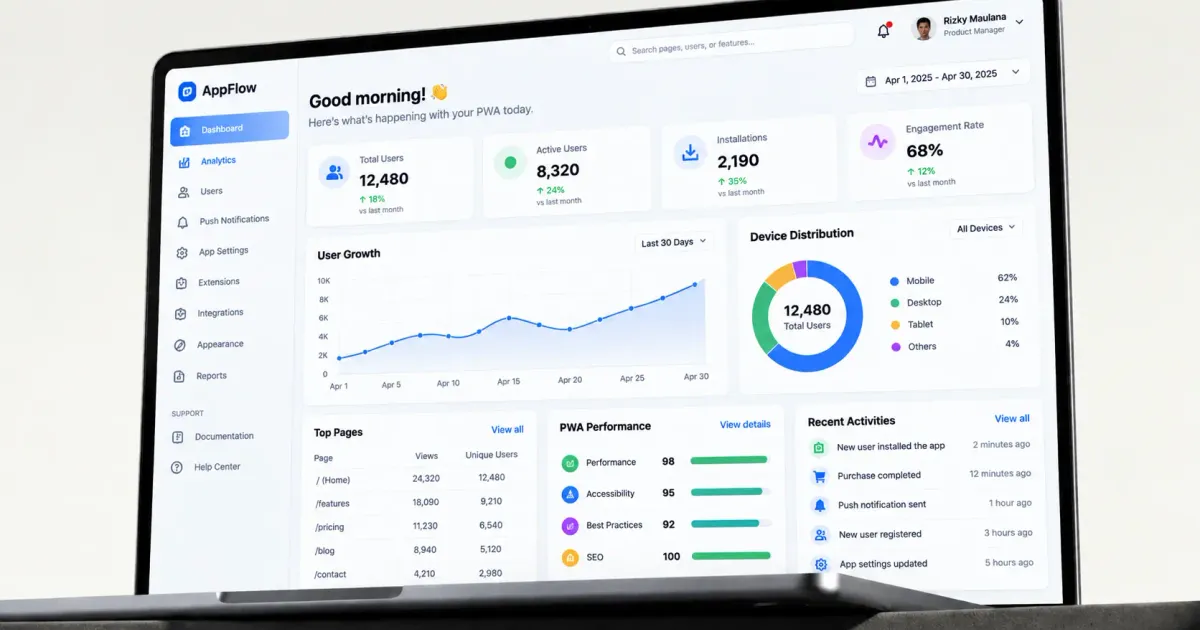
A Progressive Web App (PWA) is a web app built with specific technology so it can deliver an experience similar to a native mobile app — installable to the home screen, works offline in part, and sends push notifications — without having to go through an app store's submission and approval process.
According to Wikipedia, the term 'Progressive Web App' was first popularized around 2015 by Google engineers as an answer to the gap between website and native app experiences. This article is part of our complete guide to web app and admin dashboard development.
Table of Contents
- Where PWA Sits in the App Development Ecosystem
- Advantages of PWA Over Native Apps
- PWA Limitations Worth Understanding
- When PWA Is the Right Choice
- The Technology Behind PWA: Service Worker and Web App Manifest
- PWA vs Hybrid Apps: A Distinction That Often Gets Confused
- Common Use Cases for PWA
- How to Test Whether Your Web App Is Already 'PWA-Ready'
- PWA Development Cost Compared to a Regular Website
- Frequently Asked Questions
- Can a PWA appear on the Google Play Store or App Store?
- Is a PWA cheaper to develop than a native app?
- Can a PWA work fully offline?
- Do small businesses need a PWA, or is it only relevant for large companies?
- Does a PWA affect SEO compared to a regular website?
- How long does it take to build a PWA from scratch?
- Also Read
Where PWA Sits in the App Development Ecosystem
To understand PWA, it helps to see it as a midpoint on the app development spectrum:
- Traditional website — informational, can't be installed, doesn't work offline.
- Progressive Web App (PWA) — installable, some features work offline, built with web technology (HTML/CSS/JavaScript), accessed via one codebase for all platforms.
- Native mobile app — maximum performance and device feature access, but needs to be developed separately for iOS and Android, and go through an app store.
PWA isn't meant to fully replace native apps, but to fill the gap for use cases that don't need deep access to device features (advanced camera controls, special sensors) but still want an experience that feels like an app.
Advantages of PWA Over Native Apps
- One codebase for every platform (desktop, Android, iOS), reducing development cost and time compared to building separate native apps.
- No need to go through app store review and approval, which can take time and come with strict requirements.
- Updates take effect immediately once deployed, without waiting for users to manually download an update from an app store.
- File size is much smaller than a native app, and doesn't take up much device storage.
- Still accessible through a regular browser with no installation, giving broader access flexibility.
PWA Limitations Worth Understanding
- Access to certain device features (advanced Bluetooth, special sensors) is still more limited than a native app.
- Support on iOS has historically been more limited than Android, though it keeps improving over time.
- Not listed on the main app stores (App Store/Play Store) by default, which can reduce visibility for some use cases compared to a native app.
- Performance for apps with very heavy graphics needs (like complex 3D games) still doesn't fully match a native app.
PWA isn't a universal replacement for native apps — it's the right solution for certain use cases, not every case.
When PWA Is the Right Choice
- A business wants to deliver an app-like experience without the expensive cost of native development for two platforms at once.
- The main need is quick access and easy updates, not very specific device features.
- Your target users frequently access through various devices (desktop and mobile) and want a consistent experience.
- The business wants to avoid the complexity and cost of the app store submission process.
The Technology Behind PWA: Service Worker and Web App Manifest
Two main technical components that make a PWA work: a service worker — a script that runs in the browser's background, enabling content caching for offline access and receiving push notifications, and a web app manifest — a configuration file that defines how the PWA appears once installed (icon, name, theme color, full-screen display).
These two components are what technically set a PWA apart from a regular website — without them, a web app is just an ordinary responsive website, no matter how modern it looks.
PWA vs Hybrid Apps: A Distinction That Often Gets Confused
PWA is often equated with hybrid apps (built with a framework like React Native or Flutter), even though the two are fundamentally different. A hybrid app still gets compiled into a native app distributed through an app store, while a PWA runs entirely on the web and is accessed via a browser or installed directly from the browser with no app store.
The choice between the two depends on your needs: a hybrid app is a good fit if you still want a presence on the app store with deeper access to device features, while a PWA is a good fit if your priority is development speed and easy distribution without an app store. Some businesses even use a combination of both — a PWA as the main, lightweight, quick-to-access channel, with a native/hybrid app as an additional channel for users who prefer the app store experience.
Common Use Cases for PWA
A few types of businesses that benefit most from a PWA approach:
- E-commerce — customers can 'install' the online store directly from the browser without downloading a separate app from an app store, reducing friction before their first purchase.
- Internal business dashboards — teams that need quick access to internal systems from various devices benefit from a PWA that can be installed without a complicated internal company app store distribution process.
- Media and content — a news site or blog that wants to offer offline reading and new-content notifications without a full native app investment.
- Booking and reservations — a service business that wants customers to quickly check schedules or rebook without opening a browser and searching for the site every time.
How to Test Whether Your Web App Is Already 'PWA-Ready'
If you already have a web app and want to know how close it is to the PWA standard, a few things worth checking: whether the site already uses HTTPS (a mandatory prerequisite for service workers), whether there's a manifest file defining the app's icon and name, and whether there's a basic caching mechanism for frequently accessed content.
Many modern browsers (including Chrome) have a built-in tool (Lighthouse) that can audit how well a web app meets PWA criteria, giving a score and concrete recommendations on which areas need improvement. This is a useful first step before deciding to invest further in full PWA development.
PWA Development Cost Compared to a Regular Website
Since a PWA is built on the same web technology foundation as a regular website, the initial development cost usually isn't very different — the main difference is the extra effort for implementing the service worker, web app manifest, and thoroughly testing the offline experience. For an experienced development team, adding PWA capabilities to an existing web app usually isn't a huge project, but it still needs careful planning to make sure the implementation actually works as expected, not just adding a manifest file with no real substance behind it.
Frequently Asked Questions
Can a PWA appear on the Google Play Store or App Store?
Some platforms allow a PWA to be packaged and listed on an app store with certain adjustments, but this isn't the default behavior — a PWA is fundamentally designed to be installed directly from the browser without an app store.
Is a PWA cheaper to develop than a native app?
Generally yes, mainly because one codebase serves every platform, instead of building and maintaining separate apps for iOS and Android.
Can a PWA work fully offline?
Depends on the implementation — a PWA can be cached to work partially offline (for example, showing content already loaded before), but features that need real-time data still require an internet connection.
Do small businesses need a PWA, or is it only relevant for large companies?
Relevant at any scale that wants to deliver an app-like experience without a big investment in a separate native app — including small-to-medium businesses that want customers to be able to 'install' their online store or service directly from the browser.
Does a PWA affect SEO compared to a regular website?
Since a PWA is fundamentally still a web app that can be indexed by search engines (unlike a native app whose content isn't directly indexed by Google), a PWA actually has an SEO advantage over a purely native app — the content can still be found through organic search, while also offering an app-like experience once a user visits it.
How long does it take to build a PWA from scratch?
Varies depending on feature complexity, but generally comparable to building a regular web app plus extra time for implementing and testing offline capability and installation — usually adding a few weeks compared to a web app without PWA capabilities.
Also Read
- Web app & admin dashboard development: complete guide
- Admin dashboard: must-have features and how to choose a template
If your business is considering a PWA or needs help deciding the right development approach, our team at Altive Dev can help design a custom web app that fits your needs. Tell us about your needs, and we'll help map out the solution.


Comments
Got a question or feedback? Leave a comment!